
ANALYTICS AND CRO SETUP
Find out which page earns the enquiry before redesigning the one that does not.
Most analytics installs answer one question — how many people came — and then nothing. The useful version starts from the decision you need to make: which traffic source produces enquiries that reply, which page in the funnel loses people, whether the new headline did anything. That means naming the events before installing anything, because an event schema invented after launch never gets backfilled.
So the deliverable is a short event dictionary — maybe twelve events, each with its name, when it fires, its parameters and the decision it informs — then the implementation to match, then a report that shows the funnel rather than a wall of charts. UTM conventions get written down too, because attribution dies the first time somebody invents their own campaign tag.
The CRO half is deliberately unglamorous. One change at a time, against one named metric, held long enough to mean something. At the traffic levels most sites here actually get, a statistically clean A/B test is a fantasy, so I say that plainly and run sequential changes with honest caveats instead of pretending 200 sessions proved anything.

WHAT I DO
- Event dictionary — every tracked action named, with its trigger, parameters and the question it answers, agreed before any code is written
- GA4 configured properly: conversions marked, internal traffic filtered, cross-domain handled, retention set, and every event proven in debug view to fire exactly once
- Search Console and Bing Webmaster linked, with the query-to-landing-page view set up so search data and analytics finally agree
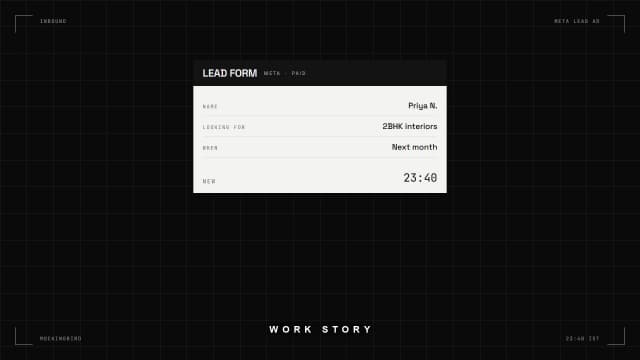
- Enquiry tracking end to end — submit event, thank-you state, and the lead visibly arriving where somebody will follow it up
- A UTM convention sheet, plus the campaign landing page URLs built to match it so nobody has to guess a tag
- A one-page funnel report: sessions, qualified sessions, enquiries, replies, with the drop-off at each step named
- CRO change log — each change, the date it shipped, the metric watched, and the result including the changes that did nothing
HOW I WORK
- 01
DEFINE
Write the decisions you need to make, then work backwards to the smallest set of events that could answer them.
- 02
INSTRUMENT
Implement those events in the site itself rather than through fragile selector-based triggers that break on the next layout change.
- 03
VERIFY
Prove each event with debug view and a real test submission, then reconcile tracked conversions against the enquiries that genuinely arrived.
- 04
ITERATE
Ship one change against one metric, hold it long enough to read, log the outcome, and only then move to the next.
BEST FOR
- Sites already getting traffic where nobody can say which page produces the enquiries
- Paid campaigns about to start, where the tracking has to be correct before the budget moves
- Businesses whose form submission count and whose actual replies have never once been reconciled
- A redesign about to be argued about on opinion, with no baseline to argue against
NOT THIS
- Not media buying. I do not run ad accounts, set bids or manage spend; this is the measurement underneath whatever you choose to spend.
- Not a server-side tagging build with its own container infrastructure. This is browser-side instrumentation plus the server-side events the app already sends.
- Not the copy and layout work itself. When a test wins, implementing the winning page goes through the marketing sites and landing pages page.
THE PROOF
Published case studies from digital experience work. Each one names the client and shows what was delivered.


STRAIGHT ANSWERS
REST OF DIGITAL EXPERIENCE
MAKE A
WISH.
Tell me what you're building. I'll tell you how loud it can get.
- /01
YOU WRITE
Tell me what you're building and what's in the way. Two lines is enough.
- /02
WE TALK
A 30-minute call, booked within 7 days. Real questions, no pitch theatre.
- /03
YOU GET A PLAN
Scope, timeline and an honest number, usually within a week.